01 / Guide
Start with a photo or existing artwork
Open Pressed, tap Choose a Photo, and select an image from Photos. For an illustration stored in Files, save a copy to Photos first. Pick a press to begin exploring the printed look.
A clear silhouette and a useful range of light and shadow make a good first subject. Pressed applies a print treatment to your existing image; use your drawing or layout app for creating the original artwork.
02 / Guide
Choose the ink relationship
A risograph-style effect builds the picture from a small set of inks. Halftone marks break tones into printable-looking patterns, while overlapping colors create new relationships.
Choose Pink & Blue in the press library. This free two-ink preset pairs Federal Blue and Fluoro Pink on White paper. Compare the source with the print to see how the palette changes the portrait.
Start with the included palette, then explore screen and paper controls. The examples use the preset as supplied in the app; exporting custom ink combinations requires Pressed Plus.

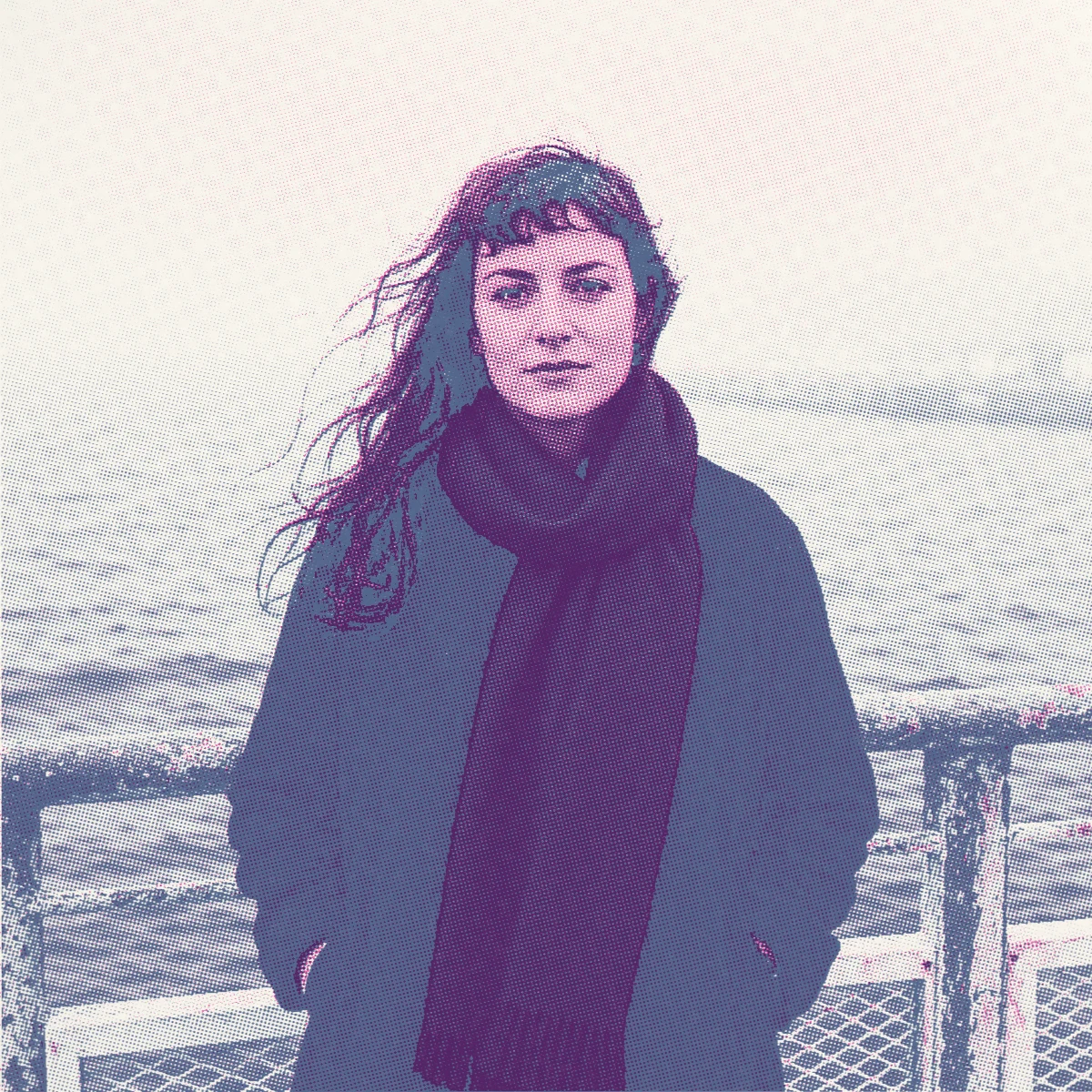
Waterfront portrait / Print
The palette
- Federal Blue
- Fluoro Pink
- Inks
- 2
- Paper
- White
- Mark
- Round
- Separation
- Color
Screen angles: Federal Blue 75°, Fluoro Pink 15°.
Pink & Blue recipe & examples03 / Guide
Explore dots, paper, and registration
Keep the photo fixed and change one choice at a time. Screen controls shape the marks; paper gives the gaps a color and surface; registration offsets the ink layers.
Three Color takes the same portrait in another direction: Fluoro Pink, Federal Blue, and Yellow on White paper, using round dots. Find it in the Plus library. Compare its three-ink treatment with Pink & Blue above.
Start with a subtle offset and inspect edges as well as shadows. View the full picture, then enlarge the print to judge the marks. A small change can be more useful than pushing every texture at once.
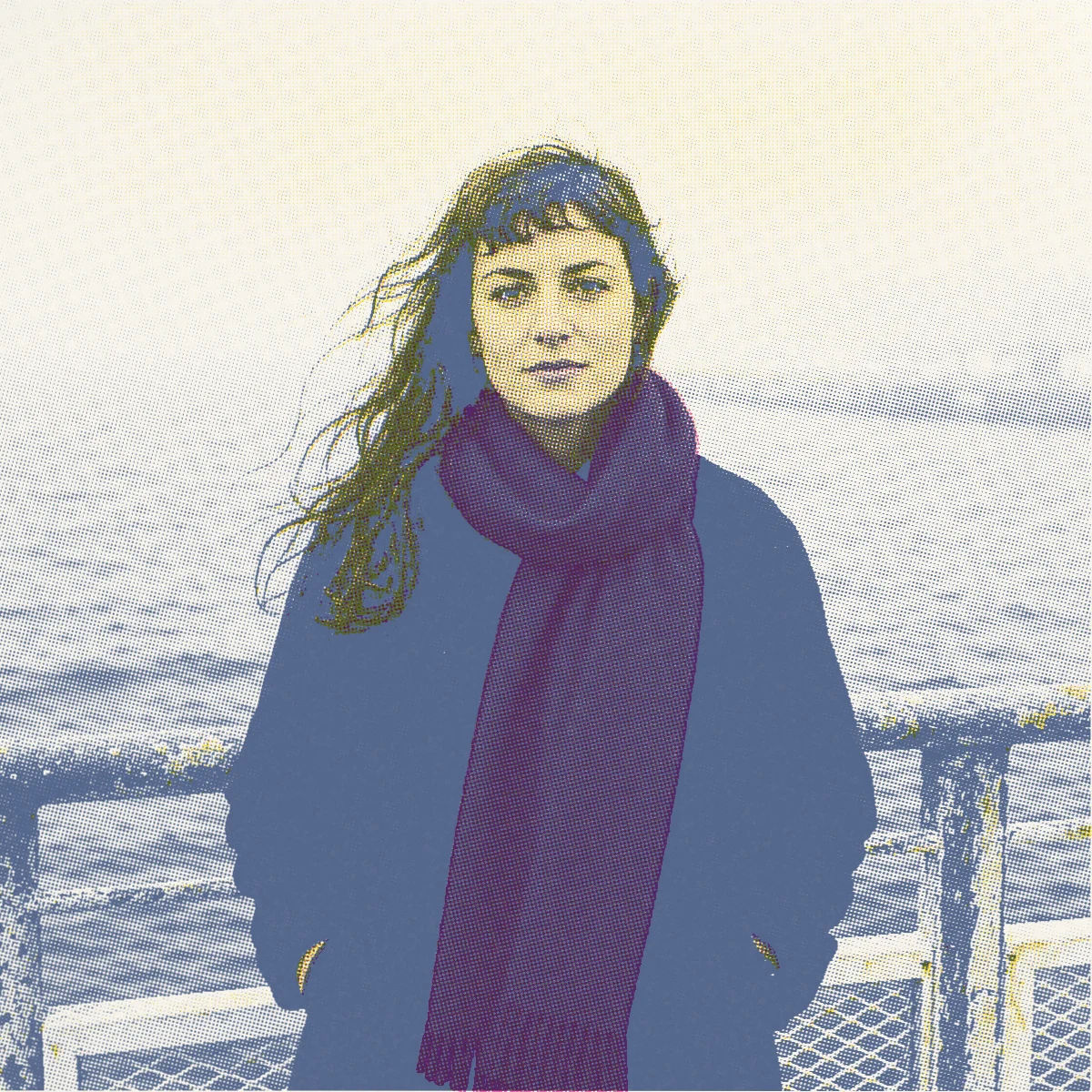
Waterfront portrait / Print
The palette
- Fluoro Pink
- Federal Blue
- Yellow
- Inks
- 3
- Paper
- White
- Mark
- Round
- Separation
- Color
Screen angles: Fluoro Pink 15°, Federal Blue 75°, Yellow 0°.
Three Color recipe & examples04 / Guide
Save the look and export
Use Save Press when you want to repeat your choices on another image. In Export options, choose JPEG or PNG, then Save to Photos or Share Image.
Free exports reach up to 4096 pixels on the long edge, and the watermark is optional. Plus adds exports up to 6000 pixels, custom inks, unlimited saved presses, die-cut stickers, and separation PDFs. Available output size also depends on the source image.
05 / Guide
Choose a digital image or physical-print workflow
A JPEG or PNG is a composite image of the finished look. It works as artwork you can share or place into a poster, cover, or zine layout.
If you are preparing ink layers for a print studio, Pressed Plus can export a multipage PDF with one grayscale page per ink and fixed crop and registration marks. Confirm page size, screening, marks, file format, and imposition with the printer. A risograph-style preview is not a guarantee that a file suits every press.